


EdApp: Mobile LMS
4.3260.00 Reviews
App Specs
- Version
- 2.180.0
- Updated On
- License
- Free
- Downloads
- 500,000+
- Developer
- SafetyCulture
- Categories
- Business
- Platform
- Android
Screenshots
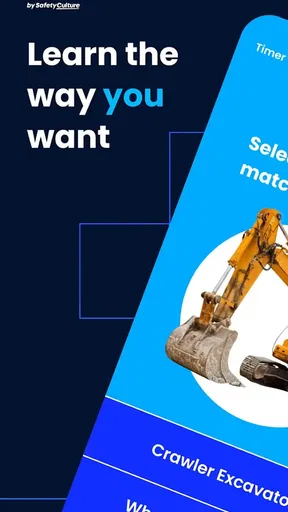
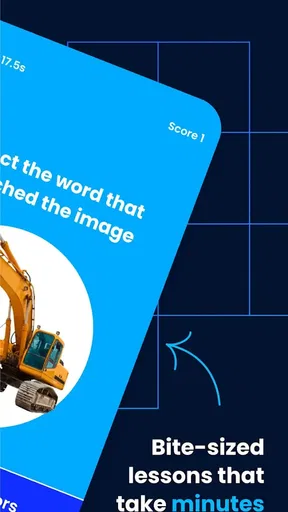
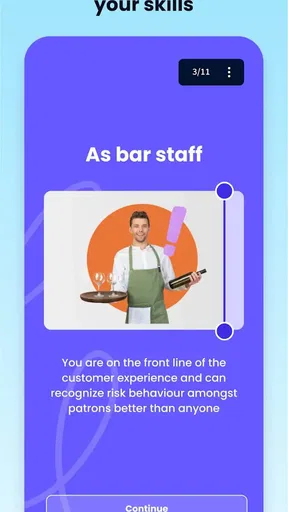
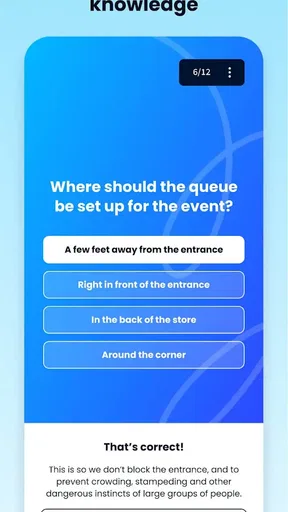
 Analysis by AppCompare
I found EdApp: Mobile LMS most interesting when I stopped treating it as a miniature classroom and looked at it as a way to fit short training moments into a working day. It is a free business app from SafetyCulture, aimed at mobile learning rather than long desktop courses. In my experience, that focus makes it useful for teams that need staff to review small pieces of information regularly, especially when sitting through a full training session is unrealistic.
The app is listed for Everyone, runs on Android from version 7.1 onward, and has reached more than half a million installs. Its average rating is 4.3 from roughly nine thousand ratings, which suggests a generally positive reception without making it a perfect fit for every learner. The current version is 2.180.0, and the product has been available since December 15, 2015. I would recommend trying it when your main goal is practical, repeatable learning on a phone, but I would not automatically choose it for complex instruction that needs extensive writing, design work, or deep discussion.
How clearly the learning experience works on a small screen
The strongest idea behind EdApp is its microlearning approach. Instead of expecting a learner to reserve a long block of time, the experience is designed around brief lessons that can be completed in smaller gaps. That changes how I think about the app: it is less like opening a textbook and more like checking a focused training task before starting a shift, between appointments, or during a planned break.
That structure can help readability because a short lesson has a narrower purpose. When a course is well prepared, I can concentrate on one concept without navigating through a large collection of pages. For a busy employee, that lower cognitive load matters. A person who struggles with dense training portals may find a sequence of smaller activities easier to approach than a long document full of menus and paragraphs.
Navigation is most comfortable when the organization behind the course is disciplined. EdApp cannot make confusing training content clear by itself. If a manager divides a subject into sensible steps, the mobile format feels manageable. If every small point becomes its own lesson without a clear order, the same approach can feel fragmented. My practical advice is to judge the quality of the course structure, not only the app shell: short does not automatically mean simple.
I also see a benefit for learners who need repetition. A brief lesson can be revisited more easily than a long presentation, and returning to one topic is less intimidating than searching through a large training library. That is particularly helpful for procedures, terminology, or workplace expectations that need reinforcement over time rather than a single information dump.
At the same time, a phone screen has obvious limits. Reading a detailed policy, comparing several pieces of information, or reviewing a complicated diagram is usually more comfortable on a tablet, laptop, or printed reference. I would use EdApp for the learning step and another format for a full reference manual. Trying to force every kind of material into short mobile lessons risks making important context harder to see.
Worth Reading Before You Choose

EA SPORTS FC Mobile 26 Is a Bigger Football Game, but It Takes Time

Flipboard Shows What News Apps Must Do Beyond the Feed

Switching to Android Auto Means Rethinking Your Driving Routine

Google Calendar Makes a Crowded Week Easier to Manage

Ludo King Makes the Most of the Minutes Between Plans

Baby Panda World Brings Quick Play to Modern Phones, but Its Game Library Feels Busy
What the short-lesson format does well
The format suits onboarding refreshers, safety reminders, product knowledge, and recurring workplace routines. A supervisor could use a small lesson before a team begins a new process, then return to the same subject later instead of relying on one annual session. That workflow is more realistic for people whose schedules change from day to day.
One useful trade-off is that microlearning encourages authors to decide what the learner really needs at that moment. I found that this can improve attention, but it also exposes weak course design quickly. A vague lesson cannot hide behind a long presentation. Teams using the app should write direct instructions, keep each activity focused, and avoid splitting one idea so aggressively that the learner loses the overall picture.
For learners who prefer to see the complete structure before beginning, the small-step approach may feel less satisfying. Some people learn better by reading a full explanation first and then practicing. In that case, EdApp may work best alongside a larger guide rather than as the only learning resource.
Readability for different learners
My view is that readability depends on both the app and the material placed inside it. Short screens can reduce visual clutter, but they do not guarantee comfortable text size, strong contrast, plain language, or useful spacing. Those choices belong largely to the course creator. A responsible training team should preview every lesson on an actual phone, check whether key instructions are easy to distinguish, and avoid putting essential meaning into decorative visuals alone.
This is also where the app may support different abilities unevenly. A learner with limited attention may appreciate one focused task at a time. A learner with dyslexia, low vision, or another reading-related need may require carefully edited text, generous spacing, and an alternative way to understand the same material. I would not assume that a short lesson automatically solves those needs. It helps only when the content has been designed with them in mind.
Motor, sensory, and situational access
Mobile learning can be convenient for people who cannot regularly sit at a desk, but convenience is not the same as universal access. A phone requires some combination of tapping, swiping, holding the device, reading the screen, and responding to prompts. For a person with limited dexterity, tremors, fatigue, or difficulty using small touch targets, even a quick activity can become tiring.
That is why I would test the complete lesson rather than judging the app from its description. A training team should ask whether controls are easy to identify, whether an accidental tap causes serious loss of progress, and whether learners can pause without anxiety. Short activities are helpful when they reduce the amount of time spent interacting, but they can still be frustrating if each screen demands precise gestures.
Sensory considerations deserve equal attention. A learner with hearing loss should not have to depend on sound to understand a lesson, while a learner with low vision should not be expected to interpret information that appears only through color or imagery. Since the quality of the learning material is central to the experience, the organization creating the course needs to provide clear text alternatives and explain important information in more than one way when appropriate.
I would also be cautious with fast-moving or visually busy content. Even when a lesson is short, motion, crowded screens, or frequent changes can make it harder for some people to concentrate. A calmer presentation, direct wording, and a predictable sequence are better choices for a mixed workforce. EdApp gives the organization a compact delivery channel; it does not remove the responsibility to create considerate training.
A realistic workplace example
Imagine a small hospitality team preparing for a change in its opening routine. The manager assigns a short lesson covering the new order of checks, asks staff to complete it before their next shift, and uses a later lesson to reinforce the steps. An employee who has ten quiet minutes can work through the material on a phone instead of waiting for everyone to attend a meeting.
That scenario shows the app’s practical strength, but it also reveals the access questions. One employee may be comfortable learning on a phone, another may need a larger screen, and someone else may need the instructions read aloud or supplied in a different format. The fair approach is to treat EdApp as one delivery option, not as proof that every worker has received the same usable experience.
Situational access matters too. A person working outdoors may deal with glare. Someone on a noisy floor may not hear audio clearly. A staff member sharing a device, working with gloves, or moving between tasks may need a different time and method for completing training. These are not edge cases in mobile workforces; they are normal conditions that should influence how a team assigns lessons.
When mobile access is genuinely useful
I think EdApp is at its best when the learner already has a suitable phone, can spare a few uninterrupted minutes, and needs a focused reminder rather than a long explanation. It can fit rotating schedules better than a fixed classroom appointment. It may also help distributed teams keep a common learning rhythm without requiring everyone to be in the same place.
The trade-off is that mobile access can blur the boundary between training and everything else on the device. Notifications, calls, poor connectivity, low battery, and workplace interruptions can break concentration. A team should give learners a reasonable completion window and avoid assuming that “available on mobile” means “easy to complete anywhere.” For important subjects, I would allow a quiet alternative and confirm understanding through normal supervision, not through app completion alone.
Another question is whether the app is suitable for personal learning. I would say yes, but mainly when an organization has already prepared relevant lessons or when the available material matches the learner’s goal. It is not the kind of tool I would choose simply to browse broad academic subjects in depth. Its value comes from structured workplace learning delivered in compact pieces.
Remaining barriers and practical compromises
The biggest barrier is content quality. A polished mobile interface cannot compensate for unclear instructions, unexplained jargon, or lessons that assume every learner has the same background. Before rolling EdApp out, I would ask the course owner to test lessons with people who have different reading speeds, levels of confidence, and physical ways of using a phone. That small review can reveal problems that a technical check misses.
Another limitation is the difference between completion and mastery. A learner may finish a short activity while still being unsure how to apply the information in a real situation. For procedural work, I would pair the lesson with demonstration, supervised practice, or a chance to ask questions. EdApp can deliver the reminder, but it should not be mistaken for the entire training program.
There is also a privacy and comfort question in shared workplaces. Some employees may prefer not to study on a personal device, may have limited data, or may find a phone-based requirement intrusive during off-hours. I would set clear expectations about when learning should happen and provide a non-phone route where the subject or workforce requires it. The fact that the app is free does not remove those practical costs.
Compared with a traditional learning management system on a desktop, EdApp feels more approachable for quick lessons and on-the-go participation, but less suitable for large documents, elaborate records, or extended authoring work on a small screen. Compared with email reminders or chat messages, it offers a more deliberate learning flow, yet a message may still be better for a single urgent announcement. Compared with classroom training, it is easier to repeat and distribute, but it cannot recreate live questions, observation, or hands-on coaching.
That comparison helped me define the right role for it. I would choose EdApp when the organization wants frequent, focused learning and has people who work away from desks. I would choose a desktop-centered platform when detailed course administration and long-form study are the priority. I would choose face-to-face instruction when the skill depends on physical practice, sensitive discussion, or immediate feedback.
Who should use it, and who should look elsewhere
EdApp is a strong candidate for small and medium-sized teams, field staff, retail workers, hospitality groups, and other employees who benefit from learning in short intervals. It is also worth considering for managers who want to turn a large training subject into a sequence of manageable reminders. The free price makes experimentation easier, especially for a team that wants to see whether microlearning fits its habits before committing to a more elaborate system.
I would be more cautious if your learners need extensive accessibility adaptations that the course author cannot provide, if most training requires hands-on supervision, or if staff do not have reliable access to a compatible personal device. I would also look elsewhere when the central requirement is a detailed knowledge base rather than short learning activities. In those cases, a documented reference system, a full desktop LMS, or direct instruction may be more appropriate.
For a manager testing the app, my recommendation is to start with one real workflow instead of converting an entire training library. Choose a task that employees already understand, break it into a few meaningful learning moments, and ask learners where they struggled. Pay particular attention to text readability, touch interaction, interruptions, and whether the final lesson changes behavior on the job. That trial will tell you far more than simply counting completions.
My inclusive verdict
After using EdApp as a mobile business-learning tool, I see a thoughtful and practical answer to one common problem: people often need training in small, repeatable portions, not only in long scheduled sessions. Its short-lesson focus can make learning less intimidating and more compatible with changing workdays. For many teams, that is a real advantage.
My recommendation comes with an important condition: accessibility has to be designed into the lessons and the surrounding process. The app can support different contexts, but it cannot guarantee that every screen is readable, every interaction is comfortable, or every learner can use a personal phone. Organizations should offer alternatives, test materials with varied users, and combine mobile lessons with human support when the subject demands it.
My final judgment is that EdApp works best as a flexible learning layer, not as a complete replacement for every training method. If your goal is focused workplace learning that people can approach in short sessions, I would gladly recommend giving it a trial. If your learners need long-form study, intensive practical coaching, or carefully individualized access arrangements, I would use it only as one part of a broader plan.
With its free availability, Everyone age rating, and support for older Android devices beginning with version 7.1, it is easy for many teams to test without a large initial commitment. Just keep the real decision centered on the learner: can this person read the lesson, operate it comfortably, complete it in their actual setting, and use the knowledge afterward? If the answer is yes, EdApp can make workplace learning noticeably more reachable.
Pros
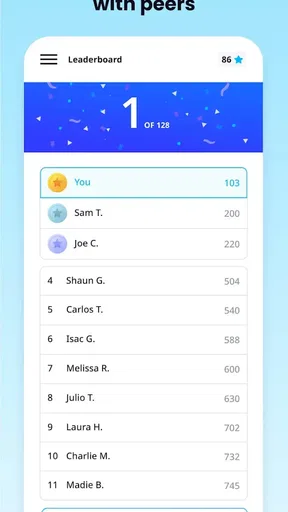
- Bite-sized lessons fit easily into short breaks.
- Supports quizzes
- polls
- and interactive learning activities.
- Progress tracking helps learners monitor course completion.
- Works well for delivering training to distributed teams.
- Push notifications can remind users about unfinished lessons.
Cons
- Some advanced features may require a paid subscription.
- Course quality depends heavily on the content created by administrators.
- Frequent notifications may feel distracting for some learners.
- Small-screen editing can be inconvenient for content creators.
- Offline access may be limited for certain courses or activities.
FAQs for EdApp: Mobile LMS
What is EdApp: Mobile LMS used for?
EdApp: Mobile LMS is a mobile learning platform designed for employee training, professional development, onboarding, compliance courses, and skills education. It lets learners access short, structured lessons from a smartphone or tablet, while organizations can create, assign, and monitor training. The app is especially focused on microlearning, making courses easier to complete in brief sessions during the workday.
Is EdApp: Mobile LMS free to download and use?
The app may be downloaded without an upfront charge, but access to its full features generally depends on the organization, school, or training provider using EdApp. Some courses or content may be available for free, while premium administration tools, branded learning environments, reporting, and private lessons can require a paid plan. Check the current terms and your provider’s invitation before assuming everything is free.
Can I use EdApp: Mobile LMS offline?
EdApp is designed primarily for mobile learning and may allow assigned lessons to be accessed with limited or no internet connectivity after content has been downloaded, depending on the course and account configuration. Progress and results usually need an internet connection to synchronize correctly. For the most reliable experience, open the app online before traveling and reconnect afterward to upload completed activities.
What types of courses and learning features does EdApp offer?
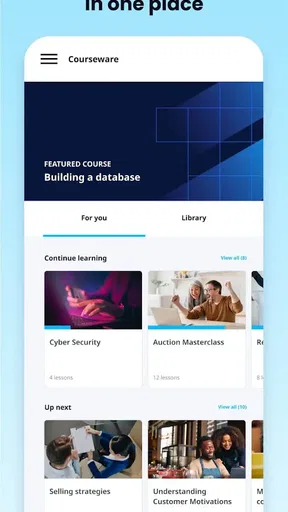
EdApp supports short, interactive lessons that can include text, images, video, quizzes, surveys, and other assessment activities. Learners may receive reminders, progress updates, and review exercises intended to improve retention. The exact subjects depend on the content published by an employer or course administrator, so the app itself is not a single fixed course library for every user.
Is EdApp: Mobile LMS suitable for businesses and individual learners?
EdApp is primarily built for organizations, instructors, and teams that need to distribute and track training across a workforce or learner group. Individual users can benefit from the app when they have been invited to a course or provided with access credentials. Before downloading, confirm that your organization supports EdApp, because many of the most useful features require an administrator-managed account.


